
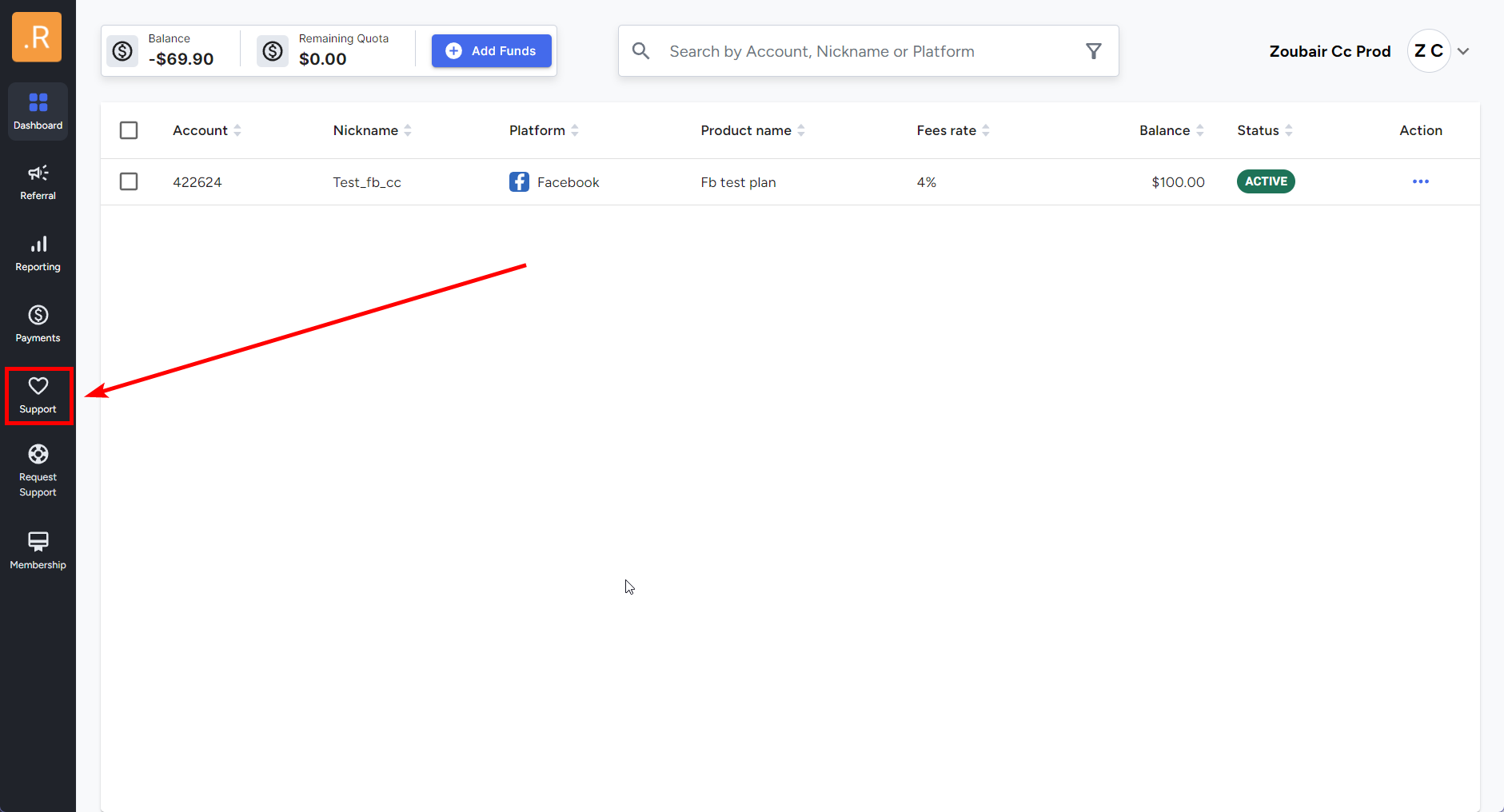
1️⃣ Navigate to the Support Requests Section
- Log in to the Oxwell Portal.
- Click on the "Support Requests" button.
📌 This is where you can manage all account-related support requests, including balance top-ups.
2️⃣ Select "Top Up Balance"
- From the available options, choose "Top Up Balance."
📌 This option will guide you through the deposit process step by step.
3️⃣ Follow the Prompts
- Carefully follow the on-screen instructions to complete your top-up.
- Make sure to provide the required details correctly to avoid delays.
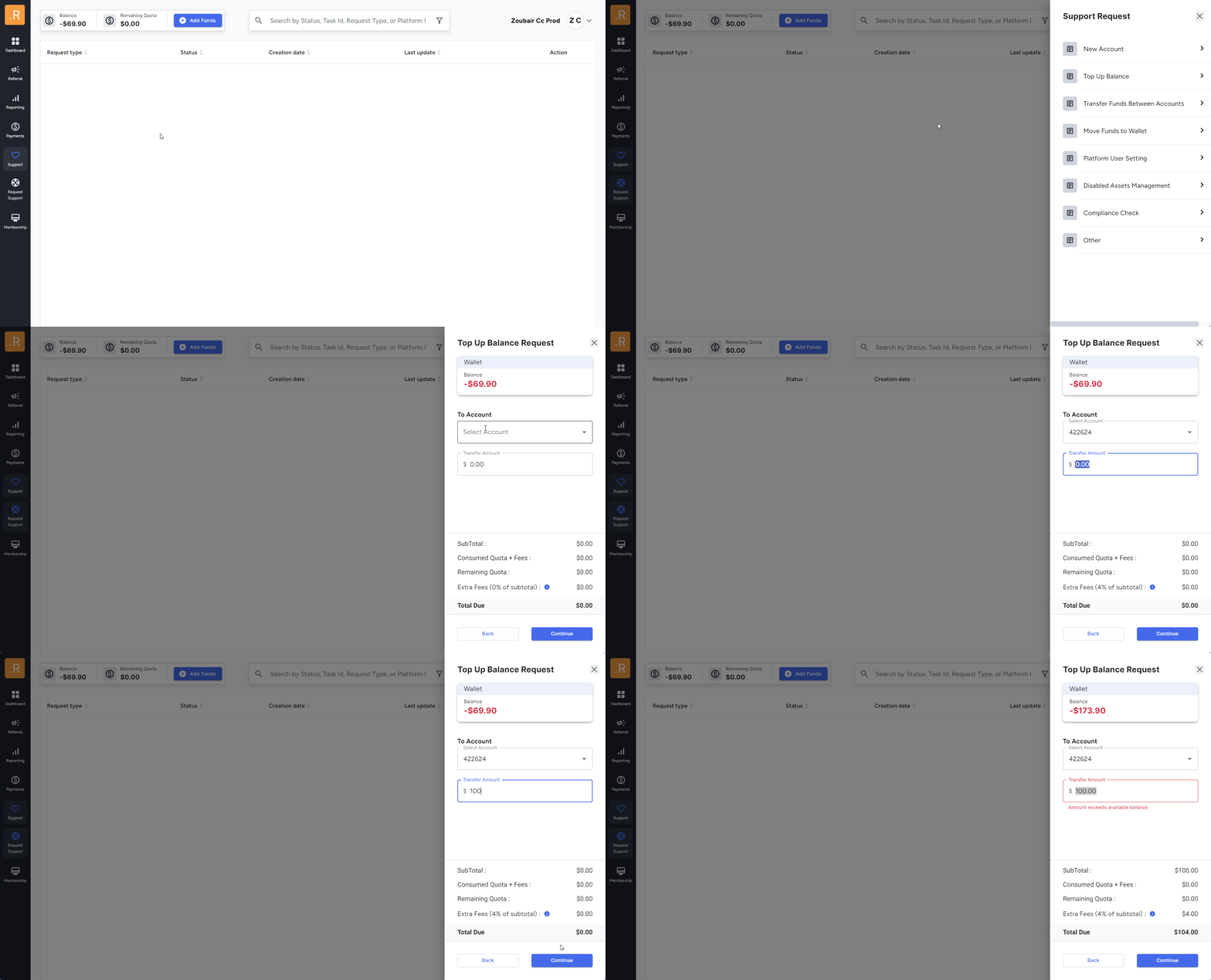
4️⃣ Track Your Support Requests
- You can review your top-up request status and past transactions in the support requests history section.
Need Help?
If you have any issues or questions, feel free to reach out—we’re here to assist you! 😊
📞 Contact Support:
🔹 Email: help@roninglobal.io
🔹 Whatsapp: https://api.whatsapp.com/send?phone=15557245111
🔹 Telegram: https://t.me/RoninAccounts_bot